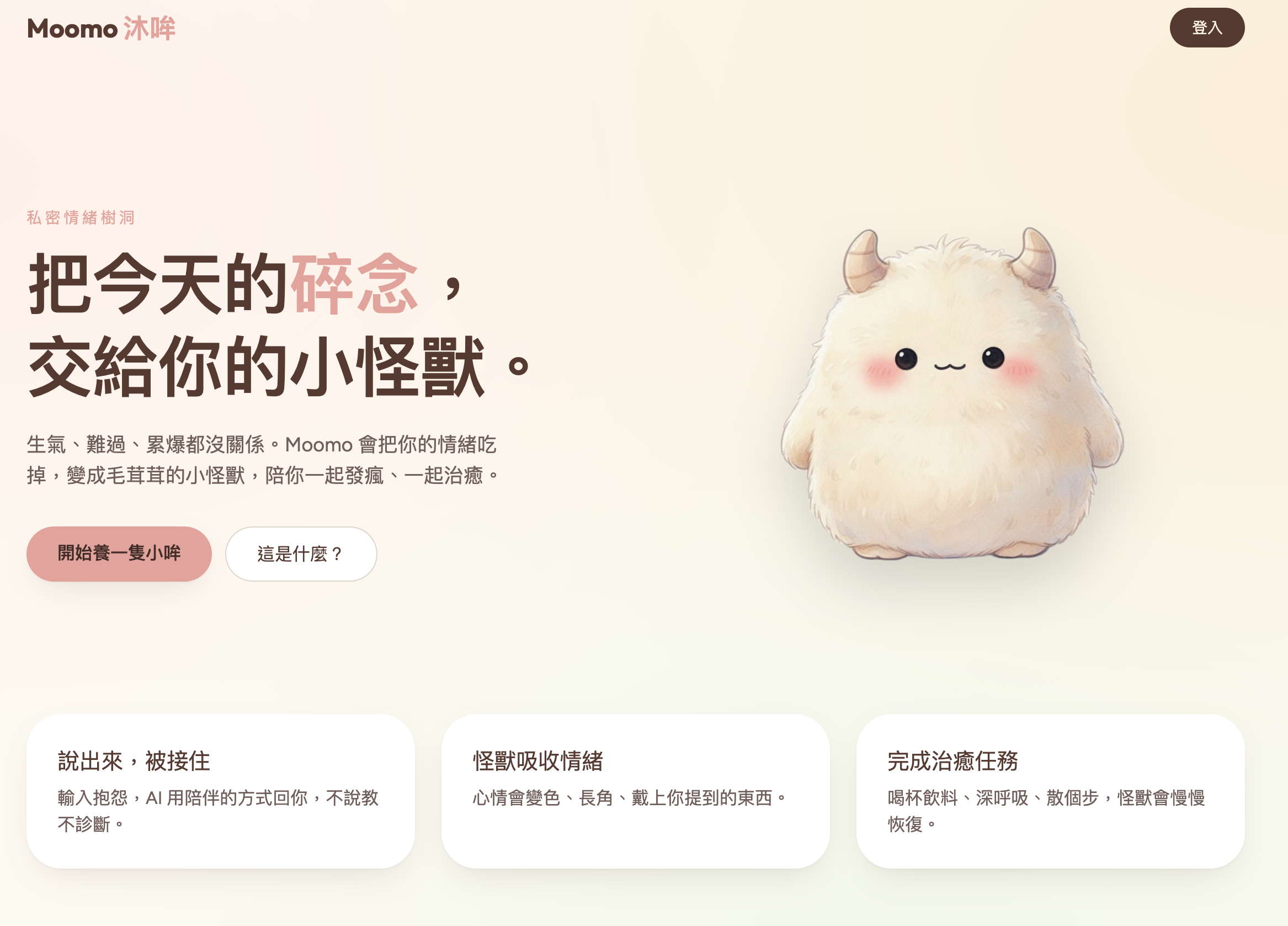
🐄 Moomo 沐哞 — 把碎念交給你的小怪獸
一個私密情緒樹洞:把今天的不爽餵給你的小怪獸,看著牠變化、收集配件、完成治癒任務。
核心功能
| 功能 | 說明 |
|---|---|
| 情緒輸入 | 輸入一段碎碎念,AI 會溫柔接住你的情緒 |
| AI 情緒分析 | 基於 Gemini 2.5 Flash,辨識情緒類別、強度、具象關鍵字 |
| 怪獸外觀變化 | 根據情緒結果組合身體顏色、表情、頭飾、手持物、背景 |
| 配件收集 | 每次情緒輸入自動獲得與情緒相關的配件 |
| 治癒任務 | 根據負面能量自動分配療癒小任務(附完成反思) |
| 情緒日記 | 封存小哞時保存完整的情緒統計、圖表與 AI 小結 |
| 匿名社群 | 匿名分享怪獸外觀,留言互相鼓勵(附檢舉與安全機制) |
| 圖鑑系統 | 收集所有解鎖過的怪獸部件 |
| 危機求助 | AI 偵測危機內容時顯示固定求助卡片(1925、119、110、1980) |
| 隱私控制 | 刪除單筆紀錄、清空所有紀錄、刪除帳號資料 |
🏗️ 技術架構
Frontend              Backend / SSR           Database
┌─────────────┐      ┌──────────────┐       ┌─────────────┐
│ React 19    │      │ TanStack     │       │ Supabase    │
│ TanStack    │─────▶│ Start (SSR)  │──────▶│ PostgreSQL  │
│ Router      │      │ Server Fns   │       │ + RLS       │
│ React Query │      │              │       │ + Auth      │
│ Recharts    │      │ Vite 7       │       └─────────────┘
│ Tailwind 4  │      │ Cloudflare   │              │
└─────────────┘      │ Workers      │       ┌──────┴──────┐
                     └──────────────┘       │ Gemini 2.5  │
                                            │ Flash (AI)  │
                                            └─────────────┘
| 技術 | 用途 |
|---|---|
| React 19 | UI 框架 |
| TanStack Start | SSR + Server Functions |
| TanStack Router | 檔案式路由 |
| TanStack React Query | 資料同步與快取 |
| Vite 7 | 開發伺服器與打包 |
| Tailwind CSS 4 | 樣式系統 |
| Supabase | PostgreSQL + Auth + RLS |
| Cloudflare Workers | 部署目標 |
| Recharts | 情緒統計圖表 |
| Zod | AI 回傳格式驗證 |
| Sonner | Toast 通知 |
| Lucide React | 圖示 |
📊 資料表設計
erDiagram
    auth_users ||--o{ profiles : "1:1"
    auth_users ||--o{ monsters : "owns"
    auth_users ||--o{ emotion_entries : "writes"
    auth_users ||--o{ accessories : "collects"
    auth_users ||--o{ user_tasks : "assigned"
    auth_users ||--o{ diaries : "archives"
    auth_users ||--o{ community_posts : "shares"
    auth_users ||--o{ post_comments : "writes"
    auth_users ||--o{ post_likes : "likes"
    auth_users ||--o{ post_reports : "reports"

    monsters ||--o{ emotion_entries : "receives"
    monsters ||--o{ accessories : "wears"
    monsters ||--o{ user_tasks : "has"
    monsters ||--o{ diaries : "archived_as"
    monsters ||--o{ community_posts : "shown_in"

    healing_tasks ||--o{ user_tasks : "template"
    community_posts ||--o{ post_comments : "has"
    community_posts ||--o{ post_likes : "has"
    community_posts ||--o{ post_reports : "flagged_by"
    post_comments ||--o{ post_reports : "flagged_by"

    profiles {
        uuid id PK
        text display_name
        text anonymous_name
    }

    monsters {
        uuid id PK
        uuid user_id FK
        text name
        text status
        int mood_score
        int negative_energy
        int positive_energy
        jsonb appearance
    }

    emotion_entries {
        uuid id PK
        uuid user_id FK
        uuid monster_id FK
        text raw_text
        text primary_emotion
        int emotion_intensity
        text llm_reply
        jsonb analysis
    }

    accessories {
        uuid id PK
        uuid user_id FK
        uuid monster_id FK
        text slot
        text name
        boolean equipped
    }

    healing_tasks {
        uuid id PK
        text title
        text description
        int reward_value
    }

    user_tasks {
        uuid id PK
        uuid user_id FK
        uuid monster_id FK
        uuid task_id FK
        text status
        text reflection
    }

    diaries {
        uuid id PK
        uuid user_id FK
        uuid monster_id FK
        date start_date
        date end_date
        jsonb emotion_summary
        jsonb appearance
    }

    community_posts {
        uuid id PK
        uuid user_id FK
        uuid monster_id FK
        text anonymous_name
        text caption
        text status
        int like_count
        int comment_count
        jsonb appearance
    }

    post_comments {
        uuid id PK
        uuid post_id FK
        uuid user_id FK
        text content
    }

    post_likes {
        uuid post_id PK
        uuid user_id PK
    }

    post_reports {
        uuid id PK
        uuid post_id FK
        uuid comment_id FK
        uuid reporter_id FK
        text reason
        text status
    }

    sprite_parts {
        uuid id PK
        text layer
        text key
        text name
        text rarity
        text[] emotion_tags
    }
🚀 安裝方式
前置需求
步驟
# 1. Clone 專案
git clone https://github.com/Dannygod/emotional-critter-haven.git
cd emotional-critter-haven

# 2. 建立環境變數
cp .env.example .env
# 然後填入你的 Supabase 連線資訊

# 3. 安裝依賴
bun install
# 或 npm install

# 4. 套用資料庫 Migration
# 方法 A: Supabase CLI
supabase db push

# 方法 B: 手動到 Supabase Dashboard > SQL Editor 依序執行 supabase/migrations/*.sql

# 5. 啟動開發伺服器
bun run dev
# 或 npm run dev
🔑 環境變數說明
| 變數名稱 | 用途 | 來源 |
|---|---|---|
SUPABASE_URL | Supabase API URL (SSR) | Supabase Dashboard > Settings > API |
SUPABASE_PUBLISHABLE_KEY | Supabase anon key (SSR) | 同上 |
VITE_SUPABASE_URL | Supabase API URL (Client) | 同上 |
VITE_SUPABASE_PUBLISHABLE_KEY | Supabase anon key (Client) | 同上 |
VITE_SUPABASE_PROJECT_ID | Supabase project ID | Supabase Dashboard > Settings > General |
注意:
VITE_前綴的變數會被 Vite 注入到前端 bundle 中。SUPABASE_PUBLISHABLE_KEY是 anon key,本身權限受 RLS 限制,可安全暴露給前端。
📁 專案目錄結構
emotional-critter-haven/
├── src/
│   ├── components/         # UI 元件
│   │   ├── MonsterSprite.tsx    # 怪獸組合渲染
│   │   ├── CrisisCard.tsx       # 危機求助卡片
│   │   └── ui/                  # shadcn/ui 基礎元件
│   ├── lib/
│   │   ├── emotion/             # 情緒分析模組(拆分後)
│   │   │   ├── ai-analyze.ts        # AI 呼叫與 prompt
│   │   │   ├── ai-schema.ts         # Zod 驗證 schema
│   │   │   ├── appearance-picker.ts # 怪獸外觀組合
│   │   │   ├── mood-calculator.ts   # 情緒分數計算
│   │   │   ├── task-assigner.ts     # 治癒任務分配
│   │   │   ├── safety.ts           # 安全等級常數
│   │   │   └── index.ts            # Server functions 入口
│   │   ├── privacy.functions.ts # 隱私控制 server functions
│   │   ├── auth.tsx             # 認證 context
│   │   └── utils.ts
│   ├── integrations/supabase/   # Supabase 客戶端與型別
│   ├── routes/
│   │   ├── _authenticated/
│   │   │   ├── home.tsx         # 主頁(情緒輸入 + 怪獸)
│   │   │   ├── tasks.tsx        # 治癒任務(附反思)
│   │   │   ├── diary.tsx        # 情緒日記(附圖表)
│   │   │   ├── gallery.tsx      # 部件圖鑑
│   │   │   ├── community.tsx    # 匿名社群(附檢舉)
│   │   │   └── settings.tsx     # 設定(附隱私控制)
│   │   └── ...
│   └── styles.css
├── supabase/
│   └── migrations/              # 資料庫 Migration 檔案
├── .env.example                 # 環境變數範本
├── package.json
├── vite.config.ts
└── README.md
🔒 安全與隱私
Row Level Security (RLS)
所有資料表都啟用了 Supabase RLS:
- 個人資料(monsters, emotion_entries, accessories, user_tasks, diaries):僅限擁有者讀寫
- 社群貼文:所有已登入使用者可讀取
status = 'published'的貼文 - 怪獸外觀:僅擁有者或被公開貼文引用時才可讀取
- 檢舉紀錄:僅檢舉者本人可讀取自己的檢舉
隱私控制
使用者可以在「設定」頁面進行以下操作:
- 刪除單筆情緒紀錄
- 清空所有情緒紀錄
- 刪除全部帳號資料
- 查看完整隱私說明